本篇文章给大家带来的内容是关于小程序popupwindow弹出框的实现代码,有一定的参考价值,有需要的朋友可以参考一下,希望对你有所帮助。
在上方弹出
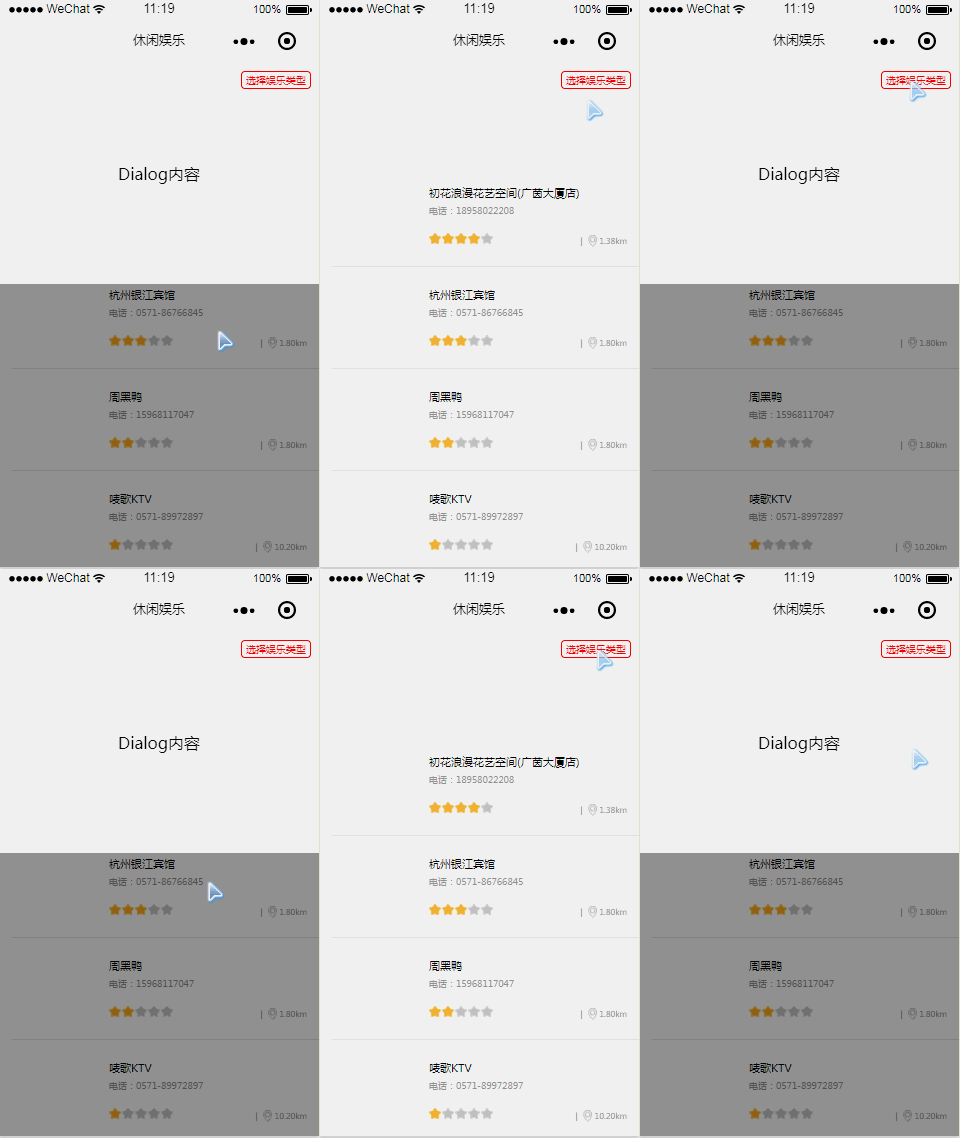
wxml
<view class="zan-dialog {{ showDialog ? 'zan-dialog--show' : '' }}">
  <view class="zan-dialog__mask" bindtap="toggleDialog" />
  <view class="zan-dialog__container">
    <view style="padding: 100px 0; text-align: center;">Dialog内容</view>
  </view></view>
登录后复制
wcss
.zan-dialog__mask {
  position: fixed;
  top: 0;  left: 0;
  right: 0;
  bottom: 0;
  z-index: 10;
  background: rgba(0, 0, 0, 0.4);
  display: none;
  }
.zan-dialog__container {
  position: fixed;
  top: 0;
  width: 750rpx;
  background: white;
  transform: translateY(-150%);
  transition: all 0.4s ease;
  z-index: 12;
  }
.zan-dialog--show .zan-dialog__container {
  transform: translateY(0);
  }
.zan-dialog--show .zan-dialog__mask {
  display: block;
  }
登录后复制
js
Page({  data: {    showDialog: false
  },//控制 pop 的打开关闭
  toggleDialog() {
    this.setData({
      showDialog: !this.data.showDialog
    });

  },

})
登录后复制
登录后复制
在下方弹出
wxml
  <view class="zan-dialog {{ showDialog ? 'zan-dialog--show' : '' }}">
    <view class="zan-dialog__mask" bindtap="toggleDialog" />
    <view class="zan-dialog__container">
      <view style="padding: 100px 0; text-align: center;">Dialog内容</view>
    </view>
  </view>
登录后复制
wcss
.zan-dialog__mask {
  position: fixed;
  top: 0;
  left: 0;
  right: 0;
  bottom: 0;
  z-index: 10;
  background: rgba(0, 0, 0, 0.4);
  display: none;
  }
.zan-dialog__container {
  position: fixed;
  bottom: 0;
  width: 750rpx;
  background: white;
  transform: translateY(150%);
  transition: all 0.4s ease;
  z-index: 12;
  }
.zan-dialog--show .zan-dialog__container {
  transform: translateY(0);
  }
.zan-dialog--show .zan-dialog__mask {
  display: block;
  }
登录后复制
js
Page({  data: {    showDialog: false
  },//控制 pop 的打开关闭
  toggleDialog() {
    this.setData({
      showDialog: !this.data.showDialog
    });

  },

})
登录后复制
登录后复制
相关推荐:
微信小程序使用modal组件弹出对话框实例分享【说明】:本文章由站长整理发布,文章内容不代表本站观点,如文中有侵权行为,请与本站客服联系(QQ:254677821)!