本章是前期准备条件的最后一项安装SQL Server
-
登陆到目标服务器(win2008)安装SQL Server2008精简版
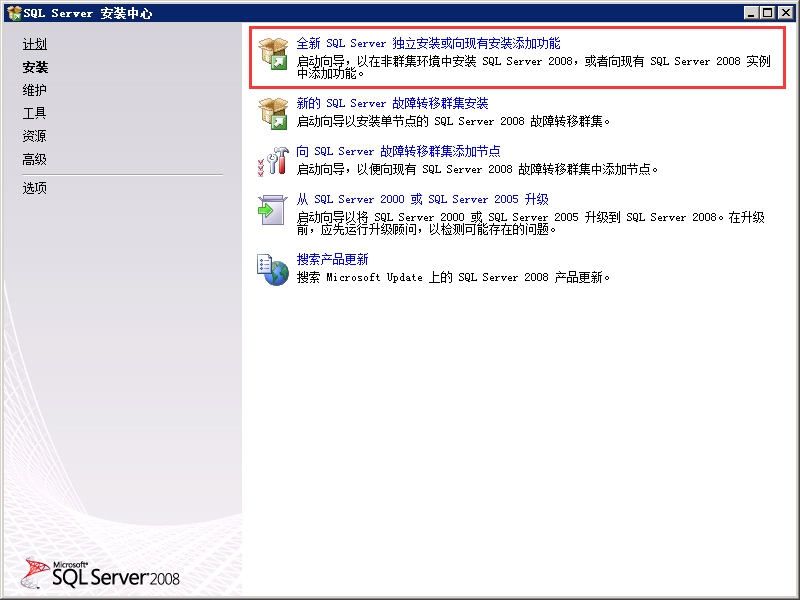 650) this.width=650;" height="484" title="clip_image001" src="/upload/getfiles/default/2022/11/11/20221111121950563.jpg" border="0" />
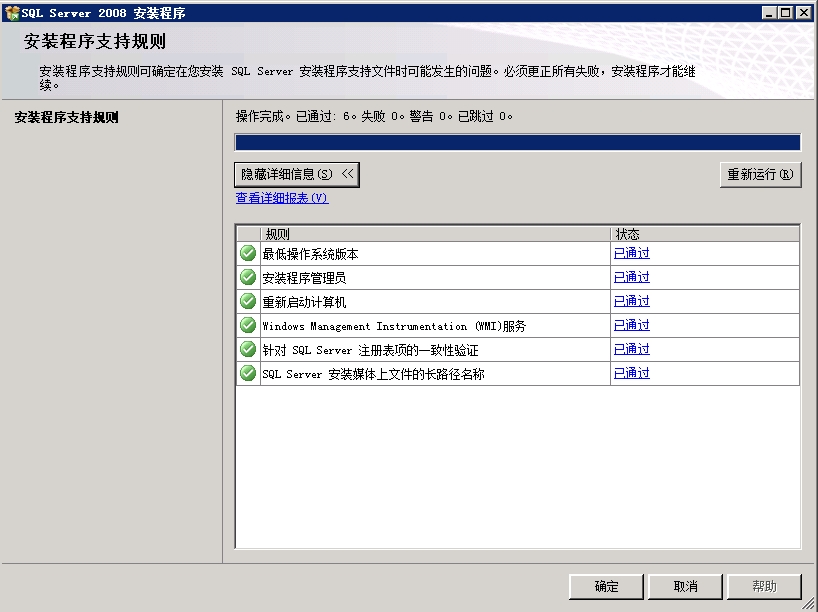 650) this.width=650;" height="483" title="clip_image002" src="/upload/getfiles/default/2022/11/11/20221111121951050.jpg" border="0" />
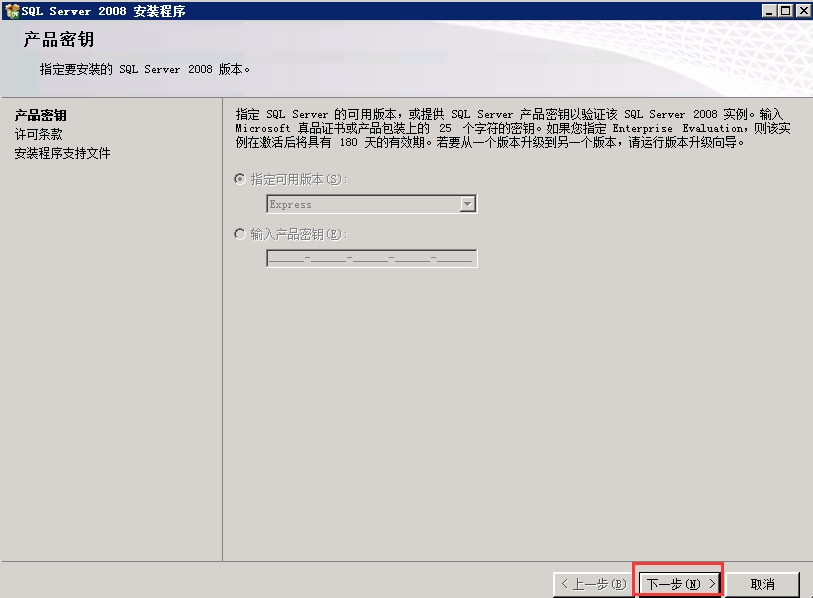 650) this.width=650;" height="475" title="clip_image003" src="/upload/getfiles/default/2022/11/11/20221111121951465.jpg" border="0" />
 650) this.width=650;" height="483" title="clip_image004" src="/upload/getfiles/default/2022/11/11/20221111121951937.jpg" border="0" />
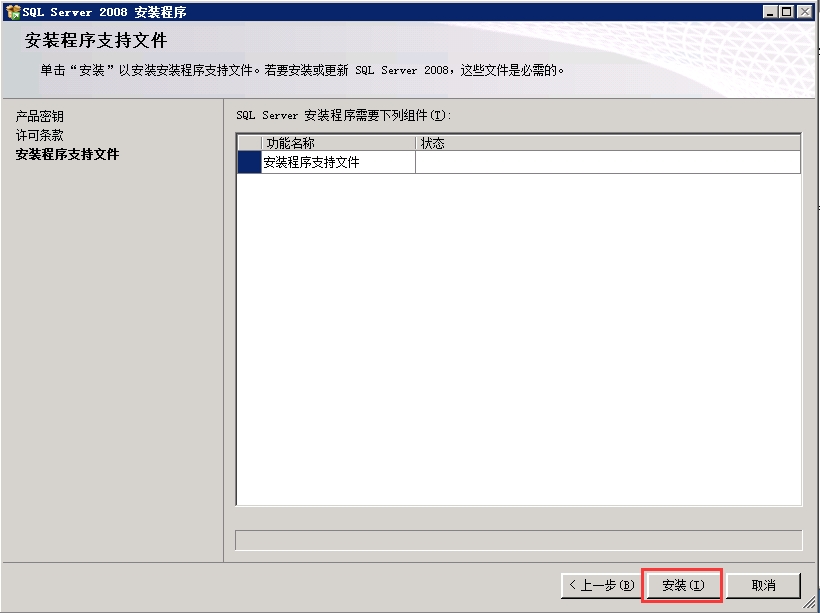 650) this.width=650;" height="482" title="clip_image005" src="/upload/getfiles/default/2022/11/11/20221111121952366.jpg" border="0" />
 650) this.width=650;" height="482" title="clip_image006" src="/upload/getfiles/default/2022/11/11/20221111121952669.jpg" border="0" />
 650) this.width=650;" height="475" title="clip_image007" src="/upload/getfiles/default/2022/11/11/20221111121952955.jpg" border="0" />
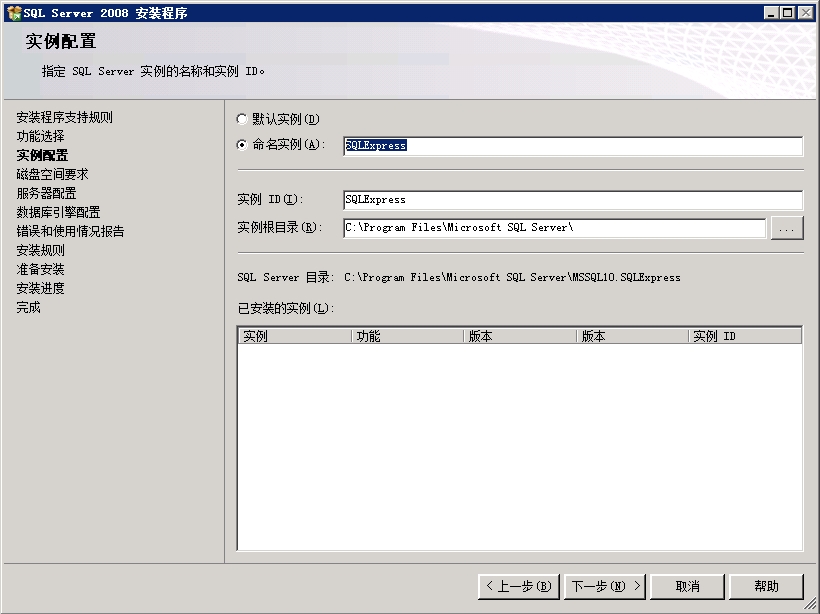 650) this.width=650;" height="483" title="clip_image008" src="/upload/getfiles/default/2022/11/11/20221111121953355.jpg" border="0" />
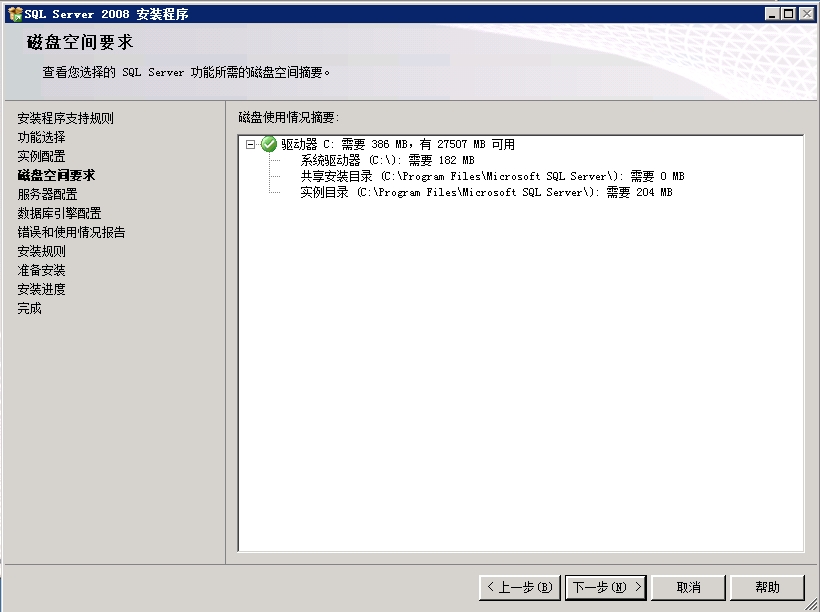 650) this.width=650;" height="482" title="clip_image009" src="/upload/getfiles/default/2022/11/11/20221111121953740.jpg" border="0" />
 650) this.width=650;" height="483" title="clip_image010" src="/upload/getfiles/default/2022/11/11/20221111121954618.jpg" border="0" />
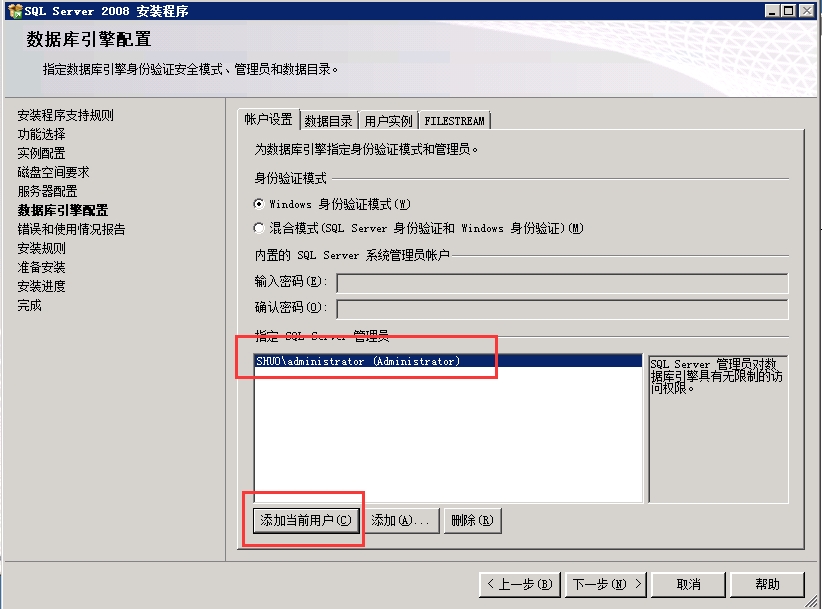 650) this.width=650;" height="478" title="clip_image011" src="/upload/getfiles/default/2022/11/11/20221111121954948.jpg" border="0" />
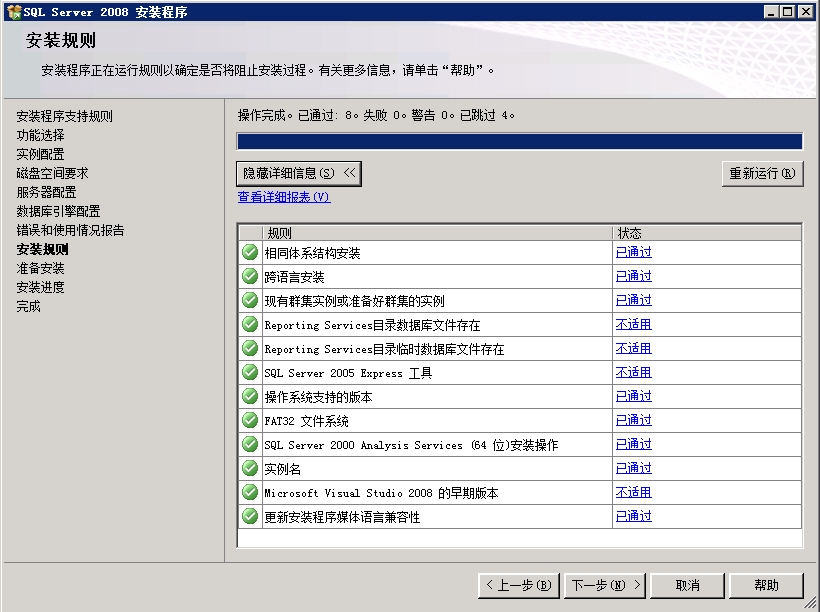 650) this.width=650;" height="482" title="clip_image012" src="/upload/getfiles/default/2022/11/11/20221111121955238.jpg" border="0" />
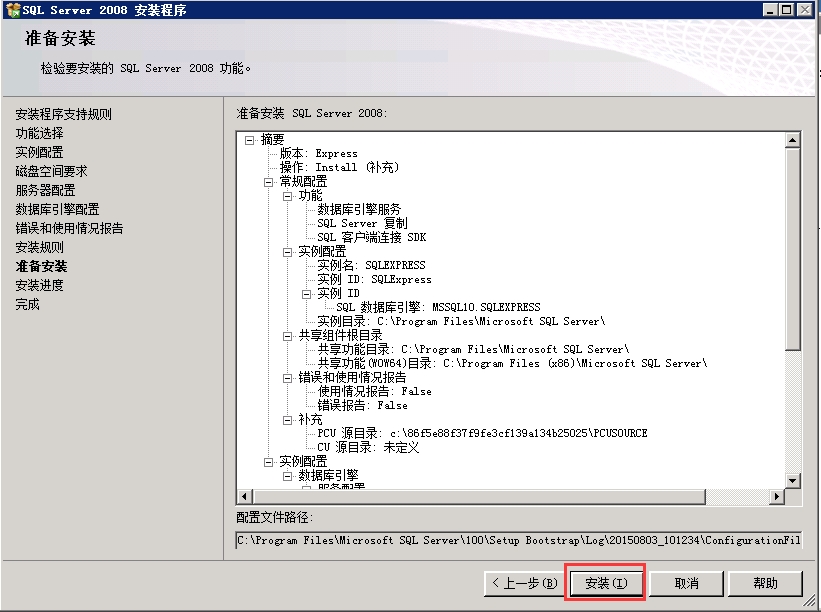 650) this.width=650;" height="481" title="clip_image013" src="/upload/getfiles/default/2022/11/11/20221111121955549.jpg" border="0" />
下一章将会安装重中之重ADMT3.2迁移工具
本文出自 “China_Mike” 博客,请务必保留此出处http://systema.blog.51cto.com/4037770/1683604
原文:http://systema.blog.51cto.com/4037770/1683604
【说明】:本文章由站长整理发布,文章内容不代表本站观点,如文中有侵权行为,请与本站客服联系(QQ:254677821)!